
Hawler
Turn daily deliveries into a workable fleet plan
For distributors, wholesalers and local delivery teams, the challenge is fitting changing order volumes into the available fleet. Hawler helps you allocate delivery stops, account for vehicle capacity and prepare the day's routes from your Excel list.
Plan the load as well as the driving
Import delivery addresses, quantities and unloading time. Express quantities and vehicle capacities in the same unit so the allocation reflects the load. For a wholesaler serving shops, this means planning the orders and time at each shop together, rather than treating every delivery as an identical point on the map.
Use today's available fleet
Choose active vehicles, starting points, capacities and working hours. Include the return trip where needed. Review the resulting rounds and unassigned stops before dispatch. When a van is unavailable or order volume changes, update the inputs and replan to assess the remaining fleet's capacity.
Reduce the work between orders and departure
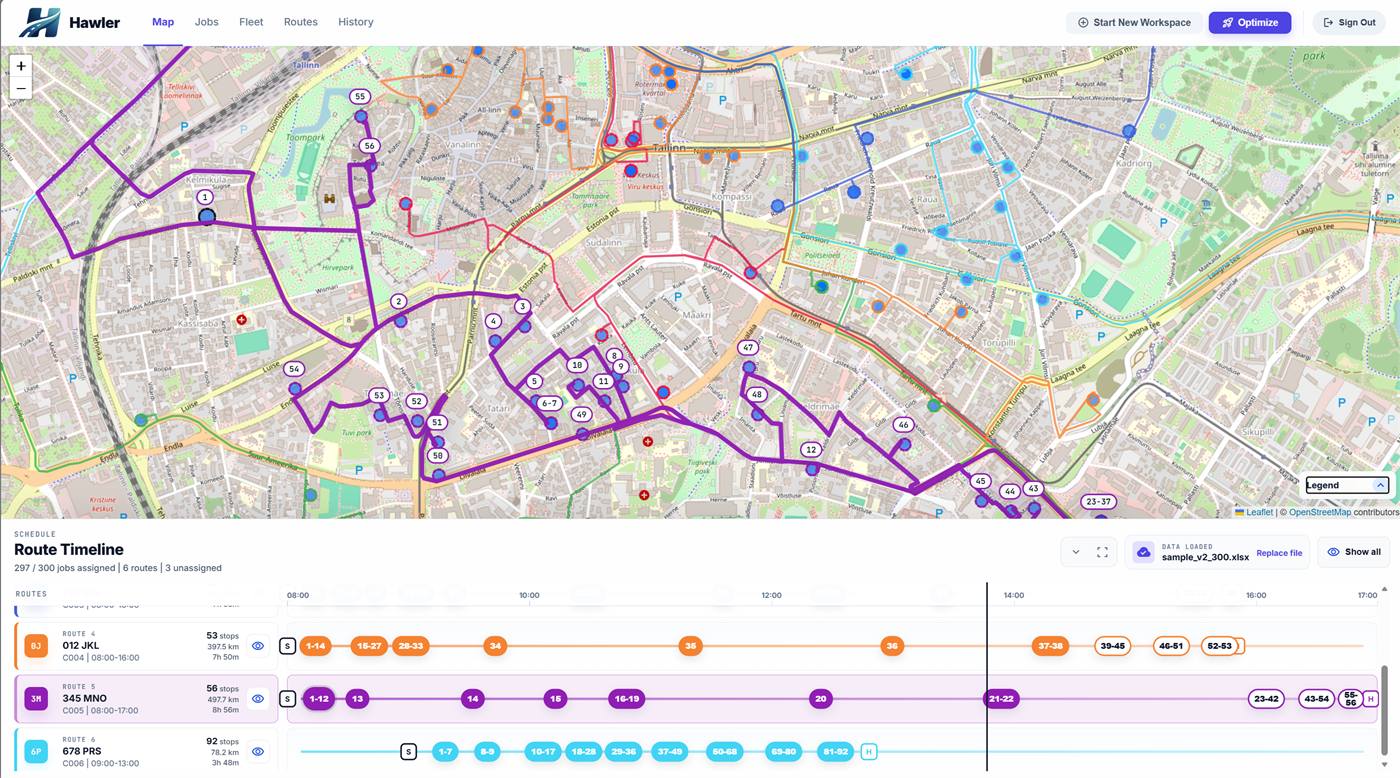
Hawler brings spreadsheet import, Baltic address matching, route review and exports into one process. The dispatcher checks the plan and hands over ordered stops as route sheets or Excel workbooks. Start with a representative delivery day and compare preparation time, route distance and completed deliveries with your usual approach.
Before you plan
Can I use my existing Excel delivery list?
Hawler supports spreadsheet import with column review. Start with a small workbook, confirm the mapping, and review addresses and quantities before optimizing the full day's work.
What vehicle information should I prepare?
Prepare each vehicle's capacity, working hours, starting location and return-to-start setting. Use the same unit for job quantities and vehicle capacity so the plan reflects your operation.
How does unloading time affect the route?
Include the expected time at each delivery as stop duration. Hawler accounts for this alongside travel when planning within vehicle working hours.
Free Starter plan
A larger monthly allowance than low-volume free alternatives. Run real delivery or service rounds and keep using Starter within its limits.
- 1,500 stops / month
- Up to 3 vehicles
- 5 active users
Planned capabilities
A platform growing with your operation
Development is extending the planning workflow into more detailed scheduling and connected field work. The capabilities below are planned; contact us to discuss availability for your operation.
Time windows, priorities and zones
More detailed scheduling will help teams plan delivery and service rounds around customer time windows, operational priorities and service areas.
Connected driver workflows
The wider platform direction connects planned routes with task lists, status updates and delivery records, so teams can carry their plan through the working day.
Build the plan your business needs
Explore the workflow for your operation, or work through the costs and capacity that better routes can change.
Route planning software
See how Excel import, address review and multi-vehicle optimization fit into one daily workflow.
Logistics route planning
Plan delivery rounds around order quantities, unloading time and the vehicles available today.
Service route planning
Account for time on site and travel between customers when planning your field team's day.
Benefits for your business
Understand the effect on fuel, planning time and customer capacity, then measure it with your own routes.