
Hawler
Plan travel around the work at each customer
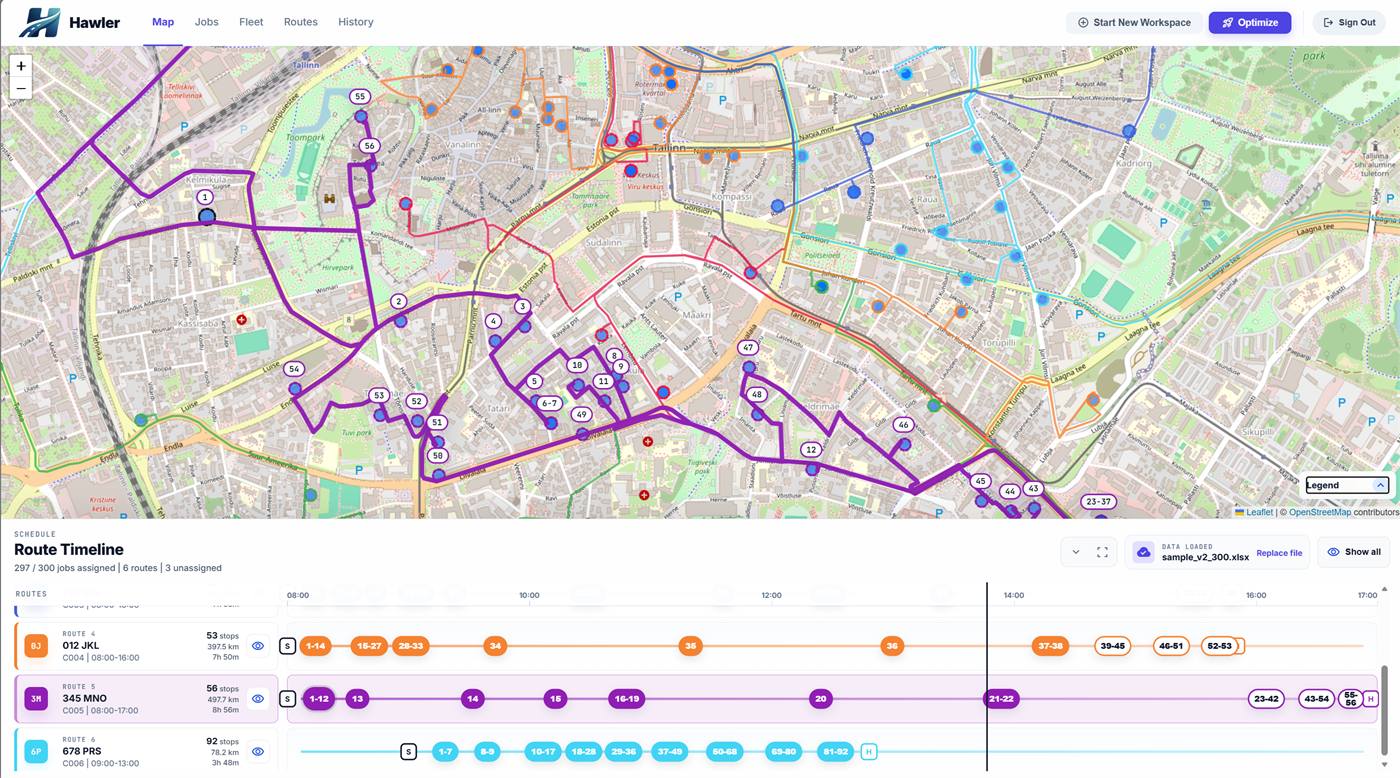
For maintenance, inspections and recurring customer visits, driving uses time your team could spend on site. Hawler helps organize the day's visit routes around customer locations, expected visit durations and vehicle working hours.
Make time for the visit itself
A ten-minute inspection and an hour-long service call need different space in the day. Import customer addresses with realistic visit durations, then set each vehicle's starting point and working hours. The route plan accounts for time on site alongside travel, helping you evaluate how much work can fit.
Keep the dispatcher in control of assignments
Review the optimized visits against staff suitability and existing appointments before sharing the routes. Hawler helps organize travel and stop order; the dispatcher manages skills and customer commitments. Use planned arrival estimates to discuss expected visit times through your existing customer channels.
Give the team a clear sequence of visits
Export the checked routes as printable sheets or Excel workbooks. Each team has an ordered visit list for the working day. To evaluate the benefit, compare travel time, time spent preparing routes and visits completed within the same working hours, while keeping service quality consistent.
Before you plan
What should I include in a service visit list?
Include the customer address and the expected time on site for each visit. Add the available vehicles with their start locations and working hours, then review the imported data before planning.
How do I share the day's service routes?
After reviewing the map and assignments, export route sheets or Excel workbooks. The team receives the planned visits in order, with a route plan to use during the day.
Can a small service team start free?
Yes. Use Starter within its published stop, vehicle and user limits. Start with a small set of real visits and review the planned rounds before using the exports for the working day.
Free Starter plan
A larger monthly allowance than low-volume free alternatives. Run real delivery or service rounds and keep using Starter within its limits.
- 1,500 stops / month
- Up to 3 vehicles
- 5 active users
Planned capabilities
A platform growing with your operation
Development is extending the planning workflow into more detailed scheduling and connected field work. The capabilities below are planned; contact us to discuss availability for your operation.
Time windows, priorities and zones
More detailed scheduling will help teams plan delivery and service rounds around customer time windows, operational priorities and service areas.
Connected driver workflows
The wider platform direction connects planned routes with task lists, status updates and delivery records, so teams can carry their plan through the working day.
Build the plan your business needs
Explore the workflow for your operation, or work through the costs and capacity that better routes can change.
Route planning software
See how Excel import, address review and multi-vehicle optimization fit into one daily workflow.
Logistics route planning
Plan delivery rounds around order quantities, unloading time and the vehicles available today.
Service route planning
Account for time on site and travel between customers when planning your field team's day.
Benefits for your business
Understand the effect on fuel, planning time and customer capacity, then measure it with your own routes.